
Unity.Rogue3D (roguelike game)1.4.2 - Google Play
You'll be able to see results in few seconds.
Publisher Description
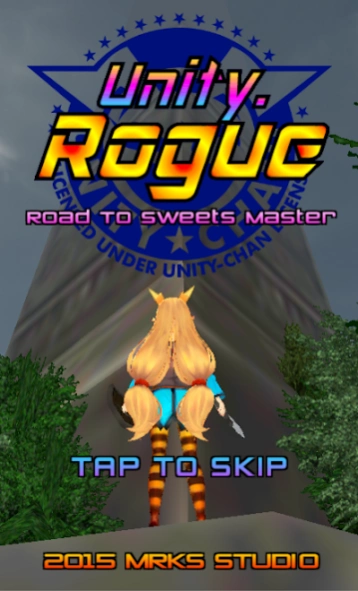
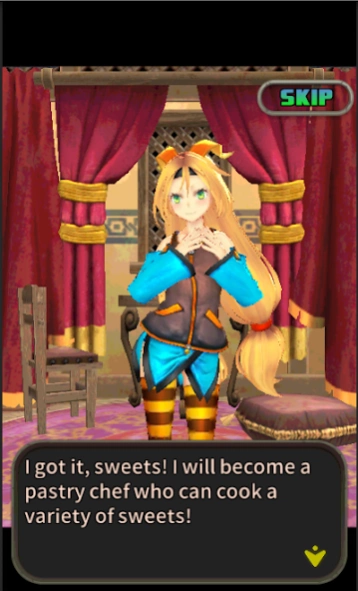
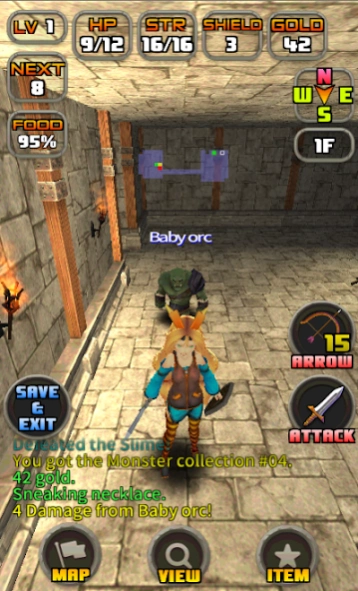
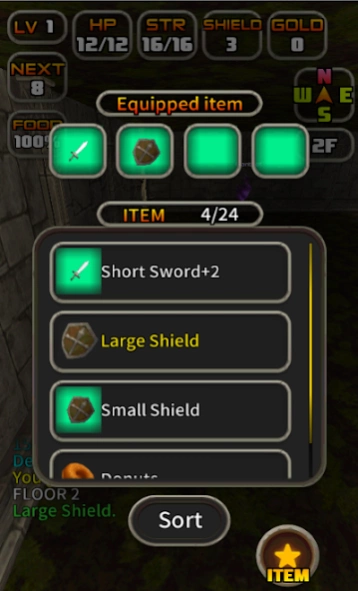
"One finger 3D roguelike game" that based to the Rogue!
** This game is a 3D roguelike game that is based on the "Rogue Clone II".
While inheriting the Rogue original difficulty and rules, it has to that view of the world that has been expressed in 3D equipped with a UI that can be easily operated with the thumb one.
To such a Rogue fan who feel the catharsis what to thrill that such as survive a lot of pinch, than get high scores or to be completed game also.
** "Unity-chan" x "Rogue"
Becomes clear the game when get the "Sweets recipe" and return from the "Strange tower" by operating the "Unity-chan".
Either "Sweets Collection" will be unlocked when return from the tower.
(recipe number to obtain might be duplicates)
Let get all of the 50 recipes to raise the Unity-chan's girliness!
"Hard mode" is obtain the sweets recipe that appear on the 25th floor or higher, when brought back from the tower becomes complete the game.
"Easy mode" is appear the recipe on the 5th floor or higher, and can play in a short time.
"Normal mode" is appear the recipe on the 10th floor or higher.
Please aimed at the high score challenge to Hard mode to approach the original Rogue's difficulty!
** About suspend the game (save)
If you want to interrupt the game, please exit by pressing the "SAVE & EXIT" icon.
It is automatically saved when you press the Home key on the mobile phone (or suspend) at the player turn.
But thank you like to end from the "SAVE & EXIT" as much as possible because it is ancillary functions.
- The automatically save function is enable at only your turn.
- The save data delete when to resume the app from the suspend state.
The save data will be removed when starting a continuation of the game by selecting the "Continue" from the title screen.
(Not be able to start over again from the save data)
!!! The collection data has been remove when uninstall the app. !!!
(except for the the "Google Play Game" achievement / leader board)
** Although the game is a roguelike game that is based on the rule of "Rogue Clone II", there are some big differences.
- Orientation are four direction (no diagonal)
- Bow is not present as an item. Able to shoot the arrow at any time if there is a number of remaining.
- Arrow will not enter the item box. Able to have maximum 99 arrows.
- In the number of the room up to 3x3 without, it has become widely complexity
- Hidden room does not exist
- Not go down to the under ground, climb the tower.
- etc.
**Special thanks
- Korean translation by Eliot the Scarlet
** license notes
BGM Material: Maoh-damashii
This content has been published under the "Unity-chan license".
http://unity-chan.com/contents/guideline/
Mgen+ font (http://jikasei.me/font/mgenplus/)
Licensed under SIL Open Font License 1.1 (http://scripts.sil.org/OFL)
© 2015 自家製フォント工房, © 2014, 2015 Adobe Systems Incorporated, © 2015 M+
FONTS PROJECT
** Please send bug report and comment from below
http://www.mrks-studio.com/en/contact/
About Unity.Rogue3D (roguelike game)
The company that develops Unity.Rogue3D (roguelike game) is STUDIO FRONTIER. The latest version released by its developer is 1.4.2.
To install Unity.Rogue3D (roguelike game) on your Android device, just click the green Continue To App button above to start the installation process. The app is listed on our website since 2023-08-30 and was downloaded 0 times. We have already checked if the download link is safe, however for your own protection we recommend that you scan the downloaded app with your antivirus. Your antivirus may detect the Unity.Rogue3D (roguelike game) as malware as malware if the download link to jp.mrks.studio.rogue is broken.
How to install Unity.Rogue3D (roguelike game) on your Android device:
- Click on the Continue To App button on our website. This will redirect you to Google Play.
- Once the Unity.Rogue3D (roguelike game) is shown in the Google Play listing of your Android device, you can start its download and installation. Tap on the Install button located below the search bar and to the right of the app icon.
- A pop-up window with the permissions required by Unity.Rogue3D (roguelike game) will be shown. Click on Accept to continue the process.
- Unity.Rogue3D (roguelike game) will be downloaded onto your device, displaying a progress. Once the download completes, the installation will start and you'll get a notification after the installation is finished.
Program Details
System requirements
Download information
Pricing
Version History
version 1.4.2
posted on 2023-08-30
Support for the latest Android SDK.
Removed some optional items.
version 1.4.2
posted on 2023-08-30
Support for the latest Android SDK.
Removed some optional items.
version 1.4.1
posted on 2020-07-26
ver1.4.1 Update
- 64bit support.
- New costume added.
- Removed Play game function.
version 1.3.1
posted on 2018-04-22
Version1.3.1 update note
- Language selection was added to the option.
- No duplicate when obtain a recipe in same game mode.
- Removed some bugs.
Version1.2.0 update note
- Removed some bugs.
Version1.1.9 update note
- Added Korean translation.
- Removed some bugs.
Version1.1.8 update note
- Added 2 costumes.
- Removed some bugs.
Version1.1.7 update note
- Decreased the number of recipes that need to new costumes.
version 1.1.7
posted on 2015-07-09
Version1.1.7 update note,- Decreased the number of recipes that need to new costumes.,Version1.1.6 update note,- Added option function.,Sound volume(BGM/SE), screen button layout, operation method(added virtual key!),- The blindness potion's effect has been decreased duration. (-25%),- Random incidence of food items it was raised to about 2 times.,- Fixed some text bugs.
Disclaimer
Official Google Play Link
We do not host Unity.Rogue3D (roguelike game) on our servers. We did not scan it for viruses, adware, spyware or other type of malware. This app is hosted by Google and passed their terms and conditions to be listed there. We recommend caution when installing it.
The Google Play link for Unity.Rogue3D (roguelike game) is provided to you by apps112.com without any warranties, representations or guarantees of any kind, so access it at your own risk.
If you have questions regarding this particular app contact the publisher directly. For questions about the functionalities of apps112.com contact us.
